

What happens to unaccepted guest accounts in Microsoft Entra?
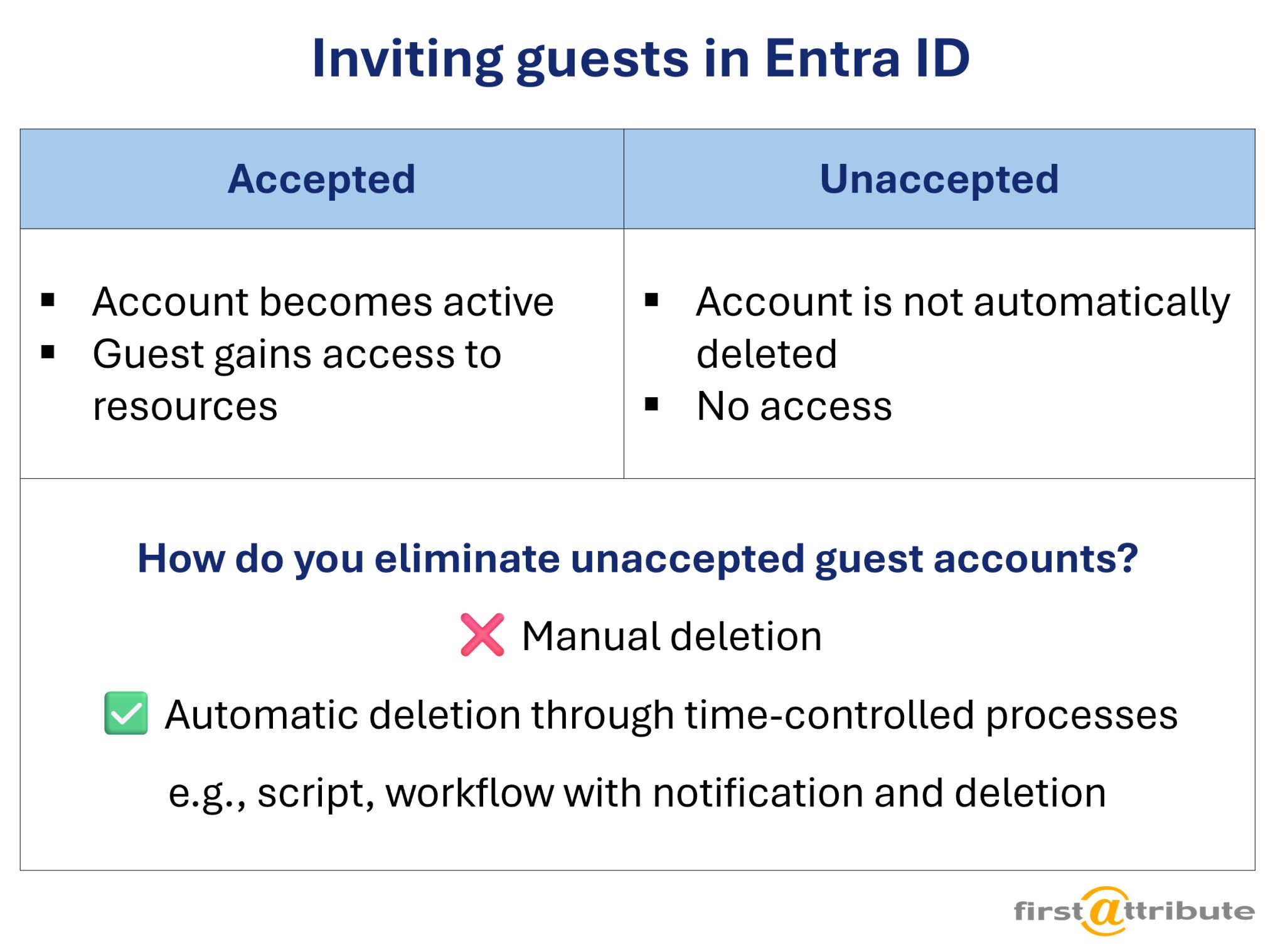
When working with guest accounts in Microsoft Entra ID, one question keeps coming up in practice: What happens to guests who have been invited but have not accepted the Microsoft Entra invitation?
We will explore this question and show how we have individually resolved issues with unaccepted guest accounts for our customers.
Note: The topic of guest accounts is complex and increasingly occupies companies in their everyday work. In our guest account series, we look at various challenges and solutions that we have encountered in our customer projects.
If you are interested, we also recommend our article “Can guest accounts be added to distribution lists?”.
Index
Behavior of unaccepted invitations
Microsoft describes it quite clearly:
👉 Invitation tokens do not expire automatically.
This means that once a guest user has been created in Entra ID, they remain there regardless of whether they ever accept the invitation. (Source: Microsoft documentation)
In the past (several years ago), links expired after 90 days. Today, this restriction no longer applies.
Why was this restriction removed?
- Firstly, Microsoft wanted to increase flexibility and user-friendliness when managing guest accounts in Entra ID. Previously, administrators had to send new invitations if a guest did not accept the invitation. With the new policy, administrators can decide for themselves when they want to withdraw or delete an invitation without being bound by a fixed deadline.
- Invitations that do not expire allow external users to accept the invitation at a time that suits them. They do not need to worry about the link expiring.
❓One could argue that the removal of the 90-day limit has created greater flexibility – especially for guests, who no longer feel pressured to accept invitations immediately. For administrators, however, this means more responsibility, as they must monitor unaccepted invitations and remove them manually if necessary.
Unaccepted guest accounts: Consequences for practice
A guest user who never responds to the invitation
- is not counted as “inactive” because they were never active,
- remains as “Pending Acceptance” in Entra ID (and thus potentially blocks namespaces or group memberships),
- does not expire automatically.
This means that without manual intervention or automation, these entries will remain permanently inactive in Entra ID.
Is an unaccepted guest account a security risk?
Technically speaking, the immediate security risk is low:
An unaccepted guest account cannot log in and cannot access resources until the invited user has accepted the invitation. It exists in Entra ID, but is “dormant” (i.e., inactive without authentication capability).
However, from an organizational perspective, there is still a certain risk:
- The account actually exists in Entra ID and can be activated later – even unnoticed if no monitoring is in place.
- If the guest’s real account is compromised (e.g., through phishing), an attacker could accept the invitation and gain access.
- In addition, many of these “pending” entries lead to confusion, which complicates identity lifecycle management and access reviews. And it is precisely this confusion that often leads to long-term security problems.
In short:
👉 There is no acute technical risk, but there is a potential organizational risk, especially if there is no regular monitoring or cleanup.
Dealing with “hanging” guest accounts
Many companies have therefore established processes to deal with these orphaned entries:
- Regular review processes: e.g., through the identity governance cycle or access reviews.
- Automated cleanup: Some customers use their own scripts that delete guests after a certain period of time (e.g., 30 days without acceptance).
🔎 Use case – Automatically remove unaccepted guest accounts:
We implemented a “Guest Account Cleanup” script for a customer that automatically removes unaccepted invitations after 30 days. This means that administrators do not have to deal with this manually and can rest assured that orphaned invitations will be removed promptly.
Better control of guest accounts with the IDM-Portal
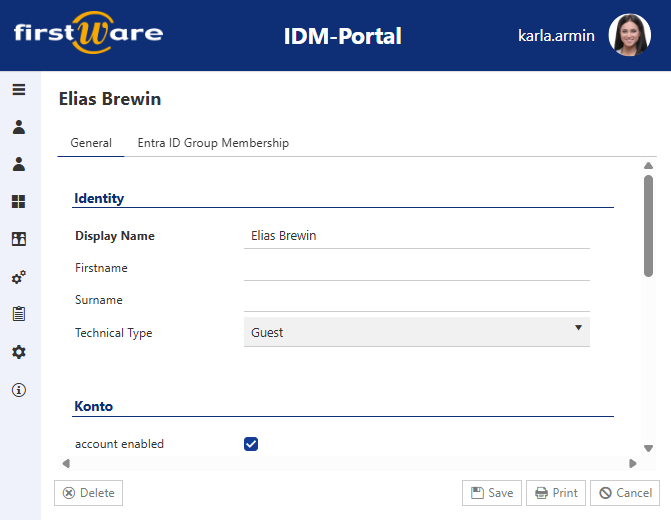
The IDM-Portal allows for better control of guest accounts. Guests only receive permissions (security groups) once a person responsible for the guest has been specified. This person is then automatically responsible for the guest.
They can also be involved in the automatic cleanup of already activated guests.
Different invitation processes are also possible:
- This means that everyone can continue to invite guests directly to Teams for collaboration.
- However, they only become full guests with additional permissions after undergoing verification steps in the IDM-Portal.
Conclusion
Unaccepted guest accounts do not disappear on their own. They remain in Entra ID as dormant objects and can thus impair clarity.
Companies should therefore develop a clear strategy for dealing with unused guest accounts, whether through governance processes or automated scripts.
More about FirstWare IDM-Portal
 The FirstWare IDM-Portal by FirstAttribute is an integrated Identity and Access Management (IAM) solution that enables automated management of users and their permissions – whether on-premises or in the cloud.
This portal integrates all aspects of identity and access management and provides centralized access to identity and directory services.
