

Release of IDM-Portal 5.1 – Management of Entra ID groups
The new release of the IDM-Portal 5.1 takes a big step towards the cloud and M365 integration. It is now possible to manage Entra ID groups and group memberships directly from the IDM-Portal. This increases user-friendliness and convenience for administrators significantly. This is because cloud groups and AD groups can now be managed directly in the corresponding directories via one clear and concise interface.
Index
Integrated group management in Entra ID
In the latest version of IDM-Portal 5.1, Entra ID group management has been fully integrated. This gives IDM-Portal direct access to the Microsoft Cloud and the ability to use Entra groups. The following options are now available:
- Display of all Entra ID groups and members
- Creation of new Entra ID groups
- Edit and delete Entra ID groups
- Edit group members and owners of Entra ID
All changes made in the IDM-Portal are saved in Entra ID. Technologically, the cloud connection of the IDM-Portal is based on the my-IAM RealGroup Business Service, which is connected to the portal via a new connector.
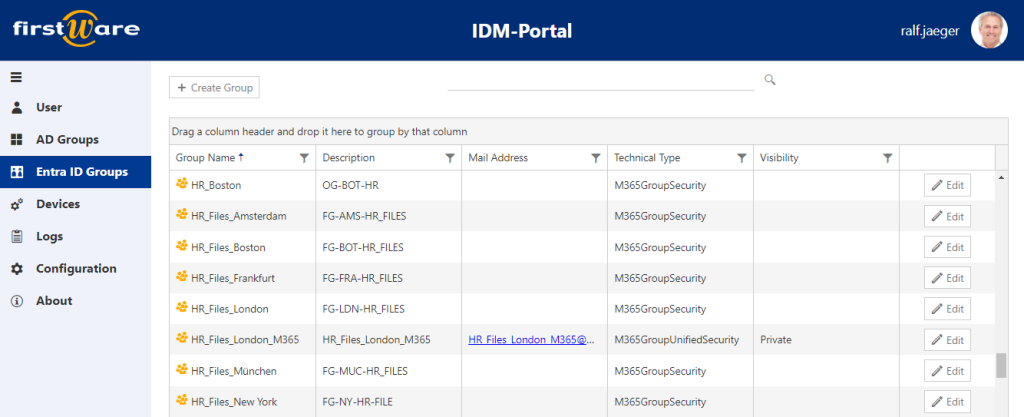
The IDM-Portal 5.1 provides a separate menu item for displaying the Entra ID groups.
The IDM-Portal displays all cloud groups in full. These include
- M365 groups,
- security groups,
- and Active Directory groups synchronized to the cloud (in read-only mode).
At the same time, administrators can use the “+ Create Group” button to create new groups in Entra ID.
When you open an Entra ID group, the “Group Members” tab shows all Entra ID group memberships. Users can edit these manually using simple “drag and drop”.
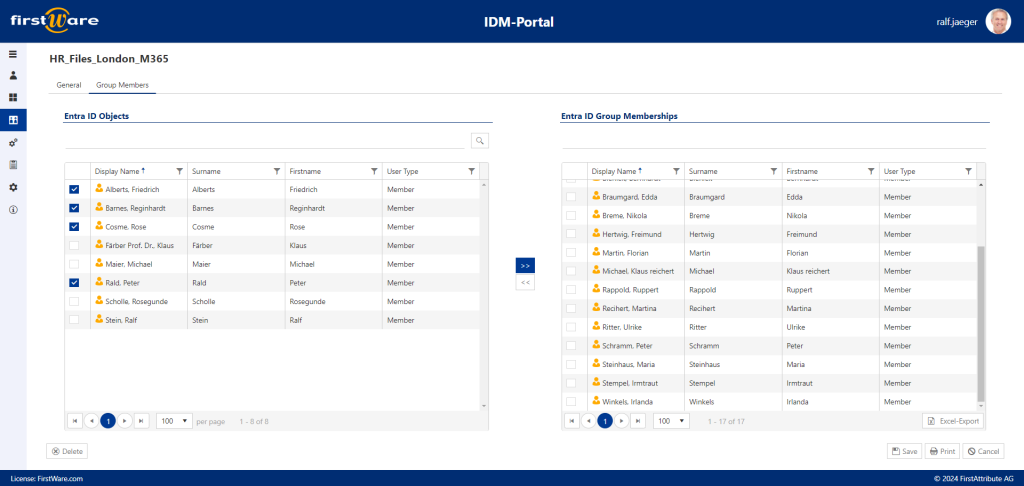
In the “Group Members” tab, you can add new members or remove members from an existing group.
The Entra ID group memberships are also available in the user view in the profile of each user.
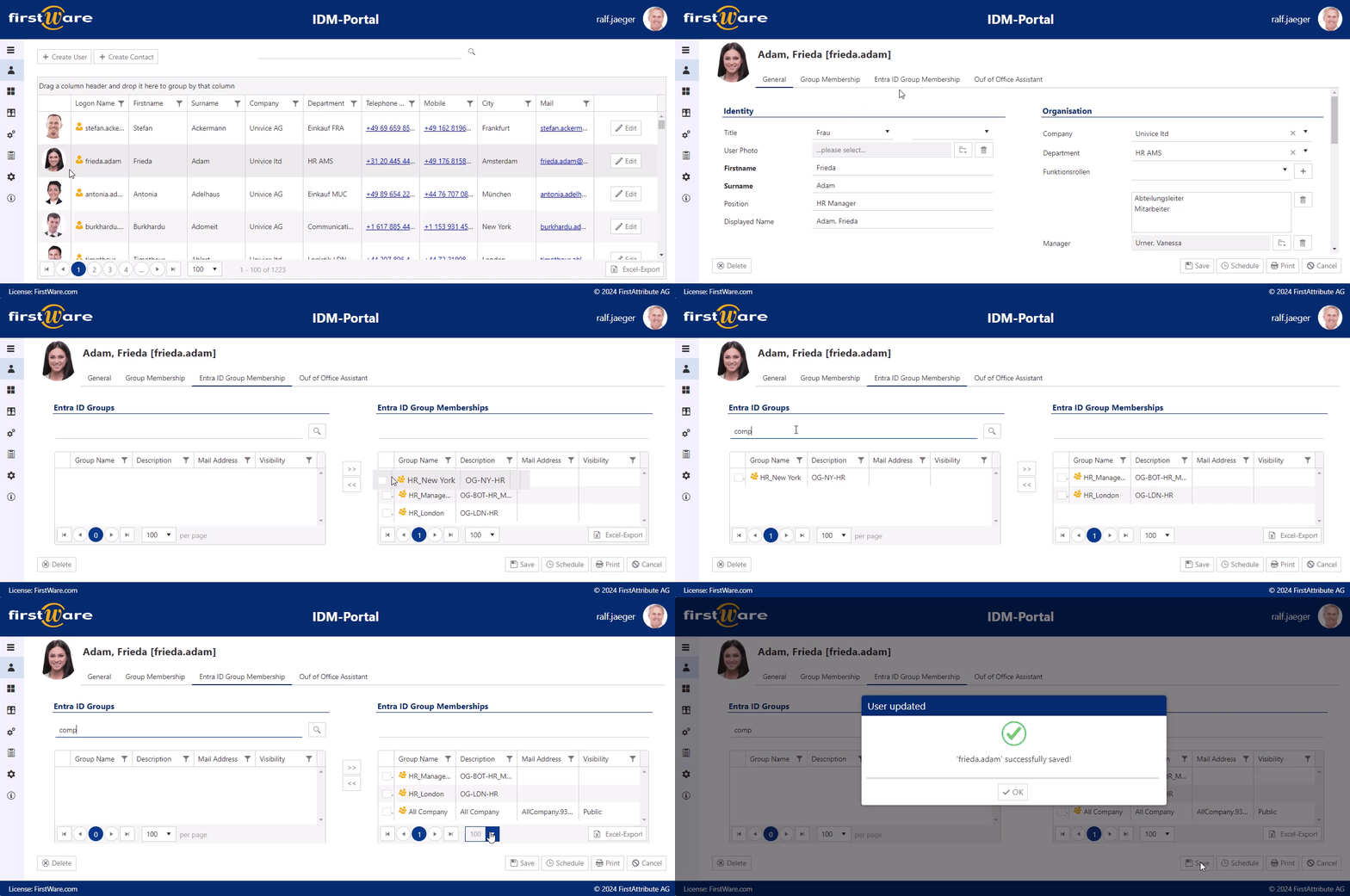
Group memberships of an individual user can be customized in the “Entra ID Group Memberships” tab.
The advantages are clear: companies working in mixed IT environments with Active Directory and Entra ID can significantly simplify group management by using one single interface, the IDM-Portal. In addition, they automate group memberships by implementing role- or attribute-based rules.
Improved traceability
In addition, a trace logging switch in the configuration has improved error analysis in the IDM portal. If a user action causes an error in the portal, the portal now automatically sends an error message with the IP address and name of the user. This helps to trace who and what caused the error on the client side and makes troubleshooting easier.
Further optimizations
In the latest version of IDM-Portal 5.1, the GUI has been improved by optimizing the display of profiles and list views.
Improvements have also been incorporated into the installation and update process. For example, the trigger scripts are already activated during installation and the Automation Service is easier to connect. The Group Managed Service Account can now be specified during installation. In addition, further performance improvements, bug fixes, and updates have been implemented.
More about FirstWare IDM-Portal
 FirstWare IDM-Portal is a customized solution for Identity and Access Management (IAM).
It enables the automated management of users and their authorizations, whether on-premises or in the cloud.
The solution integrates all important requirements of the IAM process and enables fast, centralized access to identity and directory services.
You can also reach us at
+49 81 969 984 330.
